You can manage your blood sugar via Diabetes and Me in two ways:
- Using the Quick Capture interface
- Using the Blood Sugar Listing
Using the Quick Capture Interface
You can add your blood sugar reading via the quick interface as a means to capture the information and forget about it, until you have time to manage more details about the reading in the Blood Sugar Listing interface. The Quick Capture interface is primarily meant to allow you to capture and forget – meaning, you can quickly capture the basics, and manage the editing and finer details later.
The Basic screen
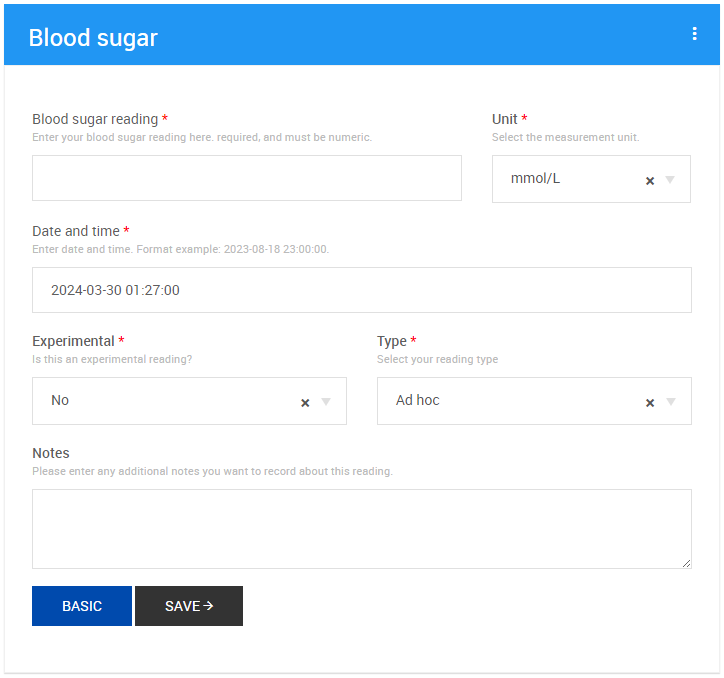
The basic screen allows you to capture only the most basic information about the blood sugar reading, and submitting. This is the default option when capturing data. Dynamic values that are not shown in the basic view include the date and time (which will be set to the date and time the page was loaded. You can toggle between basic and advanced editing by clicking on the button next to the Save button. When you are in basic mode, the button’s label will be Advanced and when in advanced mode, the button’s label will be Basic, indicating to what mode you will switch to when clicking the button.

Fields that are hidden by this setting (to use them, use Advanced mode.
- Date and time
- Type
- Experimental
- Notes
The Advanced Screen
The advanced screen adds in additional fields for capturing information. All the fields that are hidden by the basic setting is shown in this mode, otherwise the modes do not differ.
Using the Blood Sugar Listing
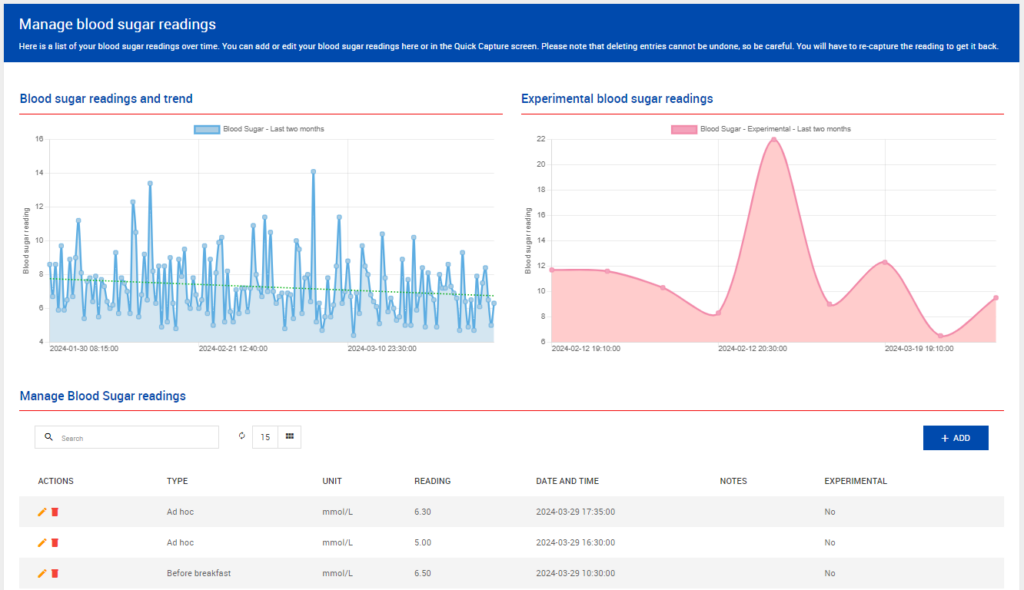
The functionality works exactly the same as the quick capture, with the exception that you can now select from all previously added items and edit or delete them. See the Actions column on the left of the listing below the graph.
Warning: Deleting items from this management screen is permanent. Use with caution.
The Basic and Advanced mechanic remains in place.